

How to Animate a Still Image With Character Consistency
Give one source image a small, motivated passage of time while protecting the details that make the character recognizable.
Open the related free tool →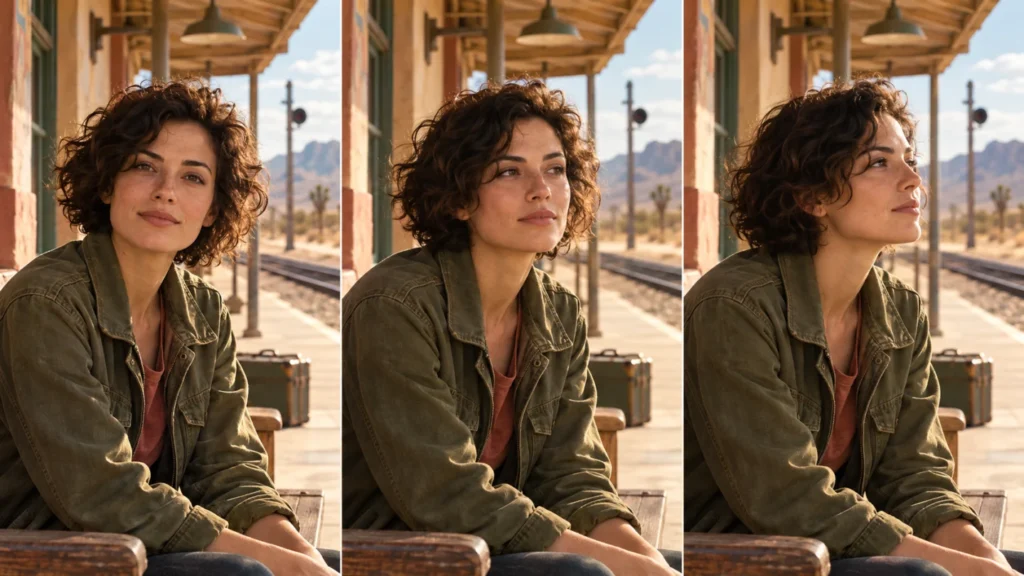
Choose a source image the model can continue
A clear still image gives the animation a useful starting state. Look for a visible face, plausible anatomy, a stable silhouette and enough space for the intended movement. A hand already fused into a sleeve or a barely visible mouth creates an uncertain starting point. Correct those problems before asking the video model to extend them through time.
Decide what the shot needs to communicate. “The traveler notices a light outside” gives a reason for a glance. “Make it cinematic, alive and realistic” gives the model several broad goals without defining the event. Use an image you own or have permission to animate, and remove private information from reference screenshots.
Build a motion budget
Start with one primary subject action and a locked camera. For a portrait, a small gaze change plus breathing may be enough. For a product, a single rotation can communicate form. Adding a moving camera, changing light, flying particles and a large gesture at the same time makes a failure harder to diagnose.
| Layer | A useful first test | What to hold stable |
|---|---|---|
| Face | One natural blink or a small attention shift. | Face shape, eye spacing, mouth and hairstyle. |
| Body | Gentle breathing or one modest posture adjustment. | Weight, hand placement, clothing seams and accessories. |
| Camera | Locked framing; add one small move only after the subject works. | Perspective, subject scale and background layout. |
| Environment | One limited motion such as a few raindrops. | Exposure, light direction and fixed scene geometry. |
Write anchors that matter
Identity anchors should describe recognizable details rather than a long inventory of every pixel. A short curly hairstyle, a distinct coat seam and a particular accessory may be more useful than ten generic style adjectives. Keep the starting pose and eye line explicit. Do not ask for a large turn that reveals an unknown side of the face unless you have an appropriate reference or can accept invention.
For example: “Begin from the supplied seated pose. Keep the saffron coat, short curls and window frame unchanged. The traveler blinks once and turns only a few degrees toward the light. Hands remain resting.” This separates what may move from what must remain recognizable. It is a creative constraint, not a guarantee of identity preservation.
Change one cause at a time
- Generate a short baseline with the simplest action. Keep the exact prompt, source image and model settings.
- If the face drifts, remove the camera move while keeping the performance. If the drift remains, reduce the head turn or improve the source reference.
- If clothes change, remove unnecessary garment-motion language and name the seam or accessory that must stay fixed.
- If the background bends, reduce perspective changes. A small forward move can still require the model to invent geometry around the subject.
- Only add a second motion after the first is usable. Compare against the baseline rather than relying on memory.
Review time, not just the best frame
Watch the clip at normal speed, then inspect selected frames and the transitions between them. A perfect opening frame can hide a distorted mouth halfway through the action. Compare the first, middle and last states for face proportions, teeth, ears, fingers, garment edges, props and background lines.
Separate visual polish from action completion. A beautiful camera drift may still leave the character completely frozen. If the brief calls for a living portrait, verify breathing and a motivated attention change. If it calls for a loop, inspect the boundary across several repetitions.
When to use an editor instead
Use compositing or code animation when exact text, product UI or a perfectly repeatable object path matters more than generative movement. A flat screenshot can be highlighted and reframed without asking a model to redraw its labels. For a face that must speak a supplied line, use an appropriate audio-driven workflow and check lip sync separately.
Begin with the cinematic motion template, then build a controlled variation in the Video Prompt Composer. For continuity across several shots, continue with the existing storyboard continuity method; this article focuses on continuing one source image.
Frequently asked questions
Can I guarantee the same face with a negative prompt?
No. A negative prompt can state exclusions where supported, but identity must be checked across the actual clip.
Should I increase movement when the shot looks frozen?
Make one intended action more specific first. Increasing every motion at once can add distortion without making the performance clearer.
Is this a multi-shot continuity workflow?
This article covers one still image becoming one shot. Use a storyboard and shared references when planning continuity across multiple shots.
Continue with a practical next step
Created by AI Craft Pad. Contact or report an issue. Check the current generator controls and review the output before use.