

Document Transformer Beta
Use this free PDF and document transformer to summarize PDFs, create study notes, flashcards, quizzes, mind maps, critiques, checklists and action plans from text-based documents or pasted text.
Summarize PDFs, make flashcards, build quizzes and turn documents into action
Document Transformer combines the jobs of a PDF summarizer, study notes generator, flashcard maker, quiz generator and planning tool in one free local-first workspace.
PDF summarizer & study notes
Turn a long text-based PDF, article or DOCX into a quick summary, executive summary, full summary, study notes, glossary or one-page brief.
PDF to flashcards & quizzes
Create flashcards, active-recall questions, fill-in-the-blank exercises, mock exams and quizzes from the same source material.
Mind maps, timelines & flowcharts
Restructure source material as a mind map, concept map, timeline, flowchart, comparison chart, sketchnote or infographic brief.
Action plans, checklists & decisions
Convert research, reports and guides into action plans, checklists, implementation plans, risk maps, decision briefs and business applications.
Four steps from source to useful output
This is a beta version. If one mode gives a weak result, try a more specific mode or use the AI prompt option for deeper reasoning.
Add the material
Upload a supported document or paste an article, chapter, notes or other source text.
Choose a mode
Pick one of 50 transformations: summary, study notes, mind map, quiz, critique, checklist, action plan and more.
Run it
Use Run locally for an instant private result. For deeper analysis, use Copy prompt + open ChatGPT.
Use the result
Copy the output, download it as Markdown, or copy the AI-ready prompt for further work.
The local engine works without an API. For reasoning-heavy tasks, you can also copy the source plus the selected command into ChatGPT with one click.
Your source stays on your device
Document extraction and the local transformation engine run in the browser. AI Craft Pad does not need to receive the document.
50 outcomes, not one giant summary
Switch between study, visualization, analysis and action modes without re-uploading or re-pasting the material.
Local result or AI-ready prompt
Get an instant deterministic result, or copy a carefully structured prompt with the source for deeper work in ChatGPT or another assistant.
Document Transformer questions
Can I use this as a free PDF summarizer?
Yes. For text-based PDFs, choose Quick Summary, Executive Summary, Full Summary, Study Notes or One-Pager. The document is read in your browser and the local mode does not require a paid API.
Can it turn a PDF into flashcards or a quiz?
Yes. Load the source once, then switch to Flashcards, Quiz, Active Recall, Fill in the Blanks, Mock Exam or Study Sheet without uploading the document again.
Which file formats are supported?
The beta supports PDF, DOC/DOCX, PPT/PPTX, XLS/XLSX, EPUB, RTF, CSV, OpenDocument files, TXT, Markdown and pasted text. Complex layouts may convert imperfectly.
Are my files uploaded to AI Craft Pad?
The document extraction and local transformation path run in the browser. AI Craft Pad does not need to receive the source file for local mode.
Does Document Transformer use AI?
The instant local modes are deterministic and do not require an AI API. For deeper reasoning, the tool can build a structured prompt from the selected mode and source, then let you continue in ChatGPT.
What about scanned or image-only PDFs?
Scanned PDFs may not contain a readable text layer. OCR is not built into this beta, so image-only documents can fail or return incomplete text.
Need more than the free local transform?
Premium packs add source-grounded instructions, quality gates, uncertainty handling and reusable professional output structures.
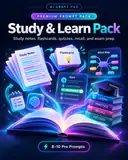
Study & Learn Pack
Turn articles, chapters and PDFs into a complete study system with source-grounded notes, flashcards, quizzes, recall practice and exam prep.
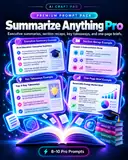
Summarize Anything Pro
Create executive summaries, detailed recaps, key takeaways and one-page briefs without losing source caveats, evidence or uncertainty.
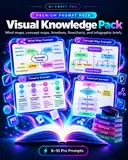
Visual Knowledge Pack
Transform source material into mind maps, concept maps, timelines, flowcharts, infographic briefs and visual summary structures.
