

Desktop apps for makers.
Downloadable desktop apps from AI Craft Pad. Explore what each app does, inspect real screenshots, and choose the right tool for your workflow.
CircuitForge AI
Plan electronic projects visually, connect components, inspect wiring and power, and keep component details beside your design. Built for makers working with Arduino, ESP32, Raspberry Pi Pico, sensors and modules.
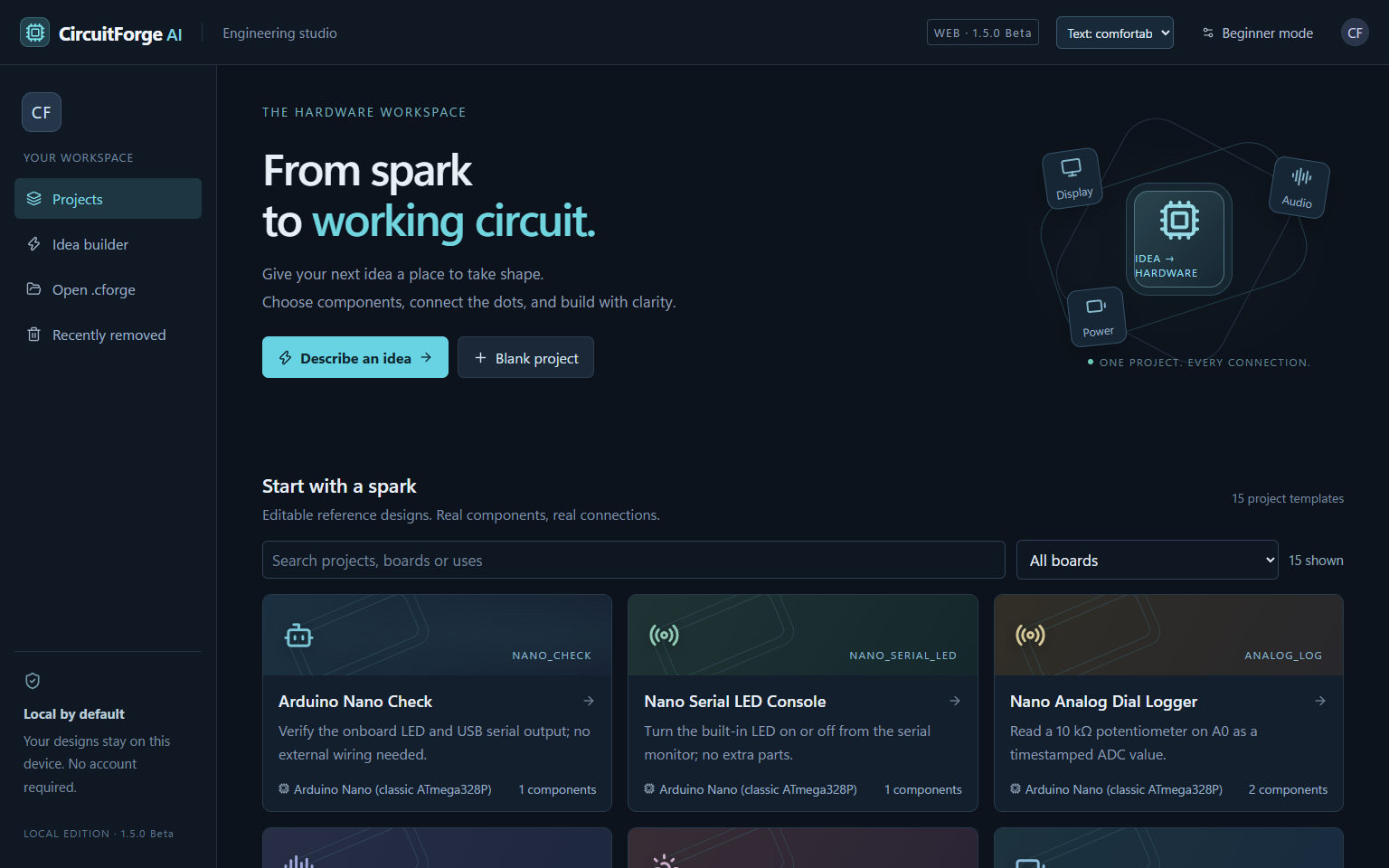
See the app before you download
The product page includes full-size screenshots you can enlarge and browse.
Build with confidence
Inspect connections, power calculations, component information and generated starter code in one workspace.
Try the Windows beta
Download the current release directly from AI Craft Pad and review its requirements and limitations first.
About our apps
Is CircuitForge AI a browser tool?
No. It is a downloadable Windows desktop application. For tools that run in your browser, visit our online tools.
Where can I see the screenshots?
Open the CircuitForge AI product page and click any screenshot to view it full size.
Is this a finished release?
CircuitForge AI is currently a beta. Review the product page for download details and known limitations.
Desktop apps for makers: explore the current beta
Desktop apps for makers can be useful when a project needs a dedicated workspace, local files, and a clear view of the work in progress. This page currently highlights CircuitForge AI, a Windows beta for visual electronics design. Start with the product page to inspect screenshots, current requirements, download details, and known limitations before deciding whether it fits your project.
CircuitForge AI brings components, connections, power calculations, component information, and generated starter code into one workspace. Use the screenshots to understand the interface, then compare the described features with the kind of circuit you want to draft. A visual plan can help you organize an idea, but any generated wiring or code still needs checking against real component specifications.
What to check before installing
Review the operating system requirements and release notes on the CircuitForge AI product page. Confirm that the beta supports the board, components, and export path you need. Keep a copy of your existing project files and start with a simple circuit that you can inspect. If the application creates starter code, read it before flashing hardware and verify the pin mapping and voltage assumptions.
Desktop apps for makers are best evaluated on a small, representative project. Note which steps become clearer in the desktop workspace and which still require manual work. Record any issue you encounter with the application version and the steps needed to reproduce it. Beta software may change; use the current product page for the latest supported features and limitations.
Choose the right resource for the task
If you need a tool that runs in a browser, browse the online tools directory. For a practical hardware build you can study, visit the DIY hardware projects. The guides explain methods step by step. CircuitForge AI belongs here because it is a downloadable desktop application, with its own workflow and requirements.
Any electronics design should be reviewed before physical use. Check component ratings, supply voltage, polarity, current, and connections against trusted datasheets. Test in a controlled setup and treat generated suggestions as drafts. The same principle applies to AI features: define the task, inspect the output, and keep responsibility with the person building the device. For a broader AI evaluation framework, see the NIST AI Risk Management Framework.
We will keep this apps page focused on software you can inspect and use. Desktop apps for makers should present clear features, screenshots, requirements, and limitations so you can make an informed choice before downloading.