

Offline Social Campaign Calendar App Builder Prompt
Plan a week of social posts in an offline desktop app with channel variants, reusable briefs, calendar views, and CSV export.
Offline Social Campaign Calendar App Builder Prompt
This offline social campaign calendar prompt helps a small team plan channel variants, approvals, and publication dates without account access.
Give a small team one calm place to plan a campaign without connecting social accounts. The finished app should help people decide what to publish, where, and when.
offline social campaign calendar build prompt
Build a local-first desktop app called Campaign Weekboard using a practical desktop stack such as Tauri with a web UI or Electron. The app plans social content but does not publish to any platform. Provide a weekly calendar, a list view, and a brief editor. Each campaign has a name, goal, audience, start date, owner label, and optional color. Each planned post has a channel label, date/time, status (idea, drafting, ready, published), copy, visual note, link target, and a checklist. Add a Duplicate as variant action that copies a post while clearly marking which channel variant it is; avoid accidental linked edits. Add filters by campaign, channel, and status. Save data locally with a documented schema, import and export JSON, and export the visible week to CSV. Support backup and restore with a confirmation step before replacing existing data. Include keyboard navigation, readable focus states, empty states, and light/dark modes. Seed the app with a realistic sample campaign, but give users a one-click way to clear demo data. Do not require login, network access, analytics, or real social platform integrations. Return the source, build steps for Windows, and a concise manual test checklist. Avoid pretending that a scheduled item has actually been published.
Minimum acceptance checks
- A user can create a campaign, add channel variants, drag or edit a date, and see the change in both views.
- Exported JSON can be imported back without losing post status or checklists.
- CSV reflects the selected week and active filters, with safe quoting for commas and line breaks.
- The app works offline and clearly separates planned status from actual publication.
Build and review the result
Build the desktop app using the provided Windows steps. Create a sample week, export it, clear the data, restore it, and inspect the calendar and list views.
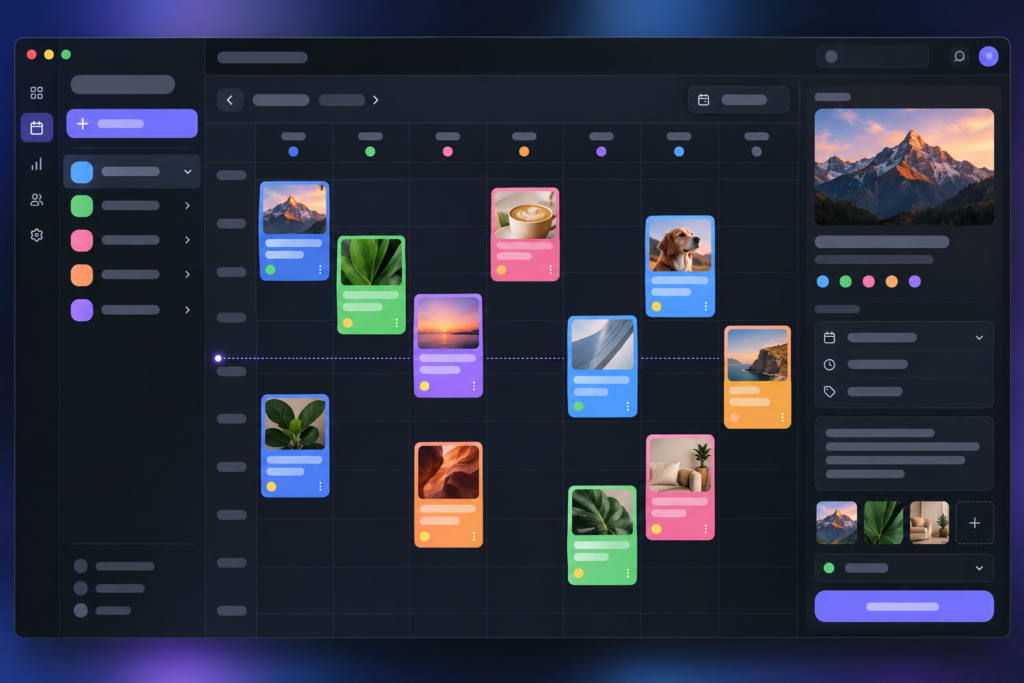
This page provides the build prompt and original interface concept art. It does not include a verified installer or working app. Review the offline social campaign calendar interface against the W3C Web Content Accessibility Guidelines before shipping it. Browse more AI Craft Pad prompts.
Five-step build and review workflow
- Define the campaign, channel labels, publishing statuses, and the information each planned post must store.
- Build the weekly calendar and list view around one shared local data model so edits stay consistent.
- Add the brief editor, duplicate-as-variant action, reusable templates, and CSV export without connecting social accounts.
- Check keyboard navigation, readable labels, offline persistence, and recovery from incomplete or conflicting entries.
- Plan a sample week, reopen the app, export the schedule, and verify every status and channel variant before delivery.