

Lighthouse Signal Puzzle Game Builder Prompt
Design a playable lighthouse signal puzzle game with three islands and clear, testable light-beam rules.
Lighthouse Signal Puzzle Game Builder Prompt
The lighthouse signal puzzle game prompt gives a coding assistant a specific small game to build. Three islands share a readable light-beam system. The rules, win states and tests are defined so the result can be played and checked, not merely described.
Copy the lighthouse signal puzzle game prompt
Build an original single-player browser puzzle game called Lighthouse Signals. Use plain HTML, CSS and JavaScript or a small documented framework. It must run locally without an account, backend, paid asset, API key or network call. Show three fictional islands in one 2D map. Each island has a lighthouse with a rotatable beam. A beam may be white, amber or blue. The player clicks or uses keyboard controls to rotate a lamp through four directions; a separate control changes its color. Beams stop at terrain or reach the next lighthouse. Make the visual line clear enough to read without relying on color alone.
Create three authored levels. Level 1 teaches rotation with one target buoy. Level 2 adds color matching between two lighthouses. Level 3 combines two beam paths while keeping only one valid solution. Display the objective in plain language before each level and give immediate feedback on blocked, mismatched and successful connections. Include reset, undo one move, restart level and next level. Store progress locally, with a visible reset-progress control. Use original vector or CSS art; do not copy a commercial game or use copyrighted logos. Return the source files, run instructions and a short explanation of the rules.
Define clear puzzle rules
Specify a small state table for each lighthouse: orientation, beam color, whether its source is powered and which target receives the beam. A beam should never pass through a cliff, water obstruction or its own tower unless a level explicitly explains that exception. Use a deterministic update after each input so the map cannot show stale beams. Keep the first level solvable in a few moves and provide an in-game hint after repeated unsuccessful attempts.
Make every control operable by mouse and keyboard. Give each lighthouse a text name and expose orientation and color as text, for example “North Beacon, amber, facing east.” Provide an accessible contrast option and a reduced-motion mode for beam animation. The win state must use text and shape along with color. Do not require fast reaction time; this is a reasoning game.
Three controlled variations
- Add a fog level in which the player reveals beam endpoints one at a time, while preserving a deterministic solution.
- Replace color matching with symbol matching for a fully color-independent variant.
- Create a compact phone layout with the same three levels and larger controls.
Quality review and next steps
Test every level from its initial state and write the shortest known solution. Confirm that every objective is reachable and that undo restores the previous orientation and color. Try repeated clicks, rapid keyboard input and switching levels after a reset. A puzzle that looks plausible but has no solution is not complete.
Review the map at 320-pixel and desktop widths. Each island, lamp control, beam and target should remain distinct. Ensure tooltips do not hide the controls on touch devices. Use buttons with visible focus rings and labels rather than only click handlers on decorative canvas regions.
Check an offline run by opening the project with network access disabled. If using a framework, include a build script and local instructions; if using static files, test by opening the page directly or through a tiny local server. Do not report a passing test unless you actually ran it. Include a brief manual test list in the delivered project.
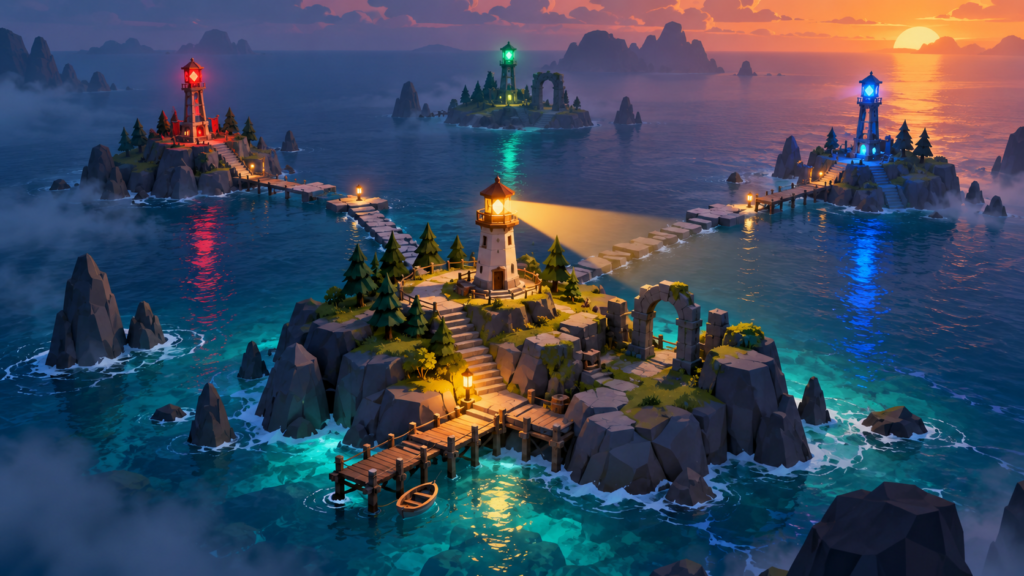
The image on this page illustrates the mood and island layout. It is concept art, not a screenshot of a finished playable game. Compare the implemented map with the rules and revise the artwork if it suggests mechanics the game does not have. Keep the scope to three polished levels before considering a level editor or extra modes.
Browse more original ideas in the AI Craft Pad prompt library. For keyboard interaction patterns, consult the W3C ARIA Authoring Practices.