

Isometric Telescope Workshop Diorama Prompt
Build a readable isometric miniature workshop with a clear activity, controlled props and consistent lighting for concept art.
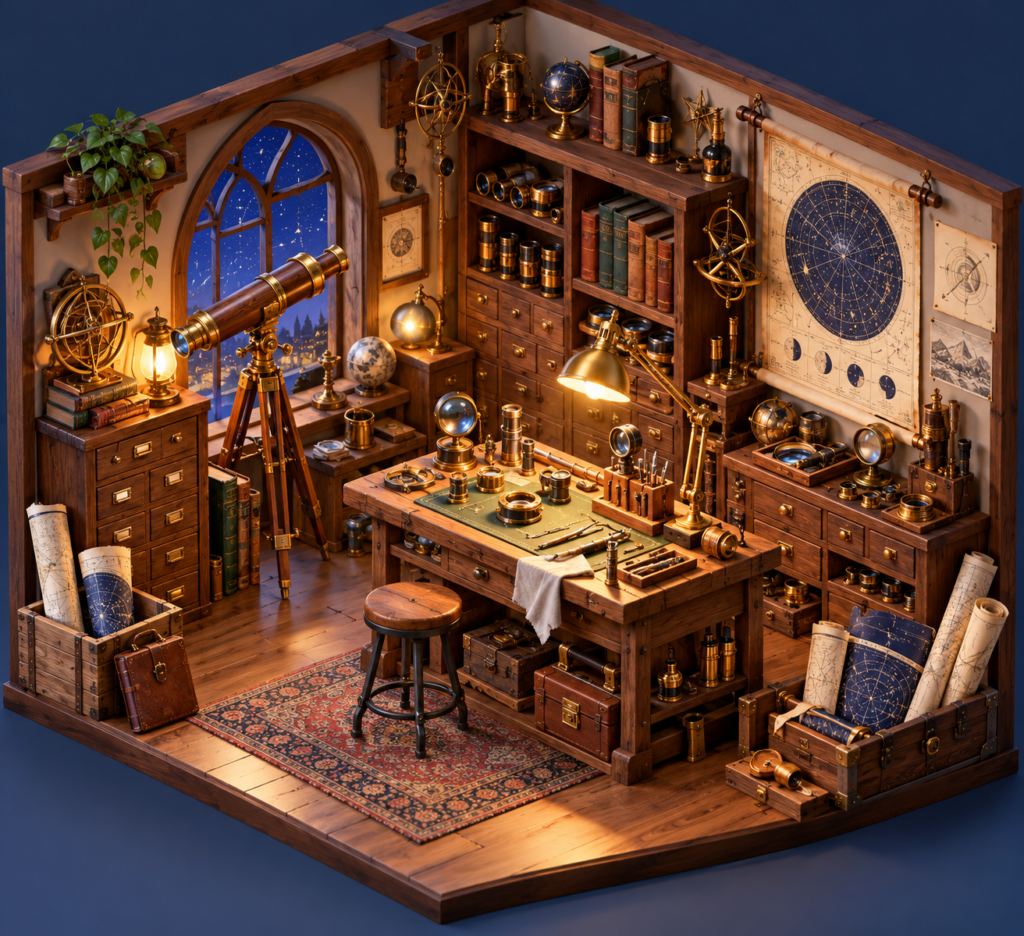
Isometric Telescope Workshop Diorama Prompt
Use this isometric telescope workshop diorama prompt to develop an original original image series with clear constraints and review checks.
A miniature environment works when every prop supports the story of the room. This original telescope workshop concept is arranged around one repair bench.
isometric telescope workshop diorama prompt
Design an isometric cutaway diorama of a [CRAFT] workshop. Show one primary task in progress at a central workbench, three tool groups stored logically, one unfinished object and one completed object. Use a three-quarter overhead camera with all floor edges visible. Materials should feel tactile: [WOOD TYPE], aged brass, glass and paper. Light the task area warmly while keeping the outer background quiet. Objects must be large enough to read at thumbnail size; use plausible storage and walking space. No people, signs, random clutter, floating objects, logos, text or watermark.
Three controlled variations
- Telescope repair with lenses and star maps.
- Clockmaker bench with gears and spare hands.
- Bookbinder studio with presses and paper stacks.
How to use it
Choose a craft with a real tool sequence and inspect whether the generated layout supports that sequence. For game use, separate the scene into assets later; a single render is not a usable tileset. Check camera angle, furniture scale and clear negative space for interface overlays.
Quality check
Review the final image at full size and at the intended display size. Check the main subject, material consistency, spatial logic and any accidental text. Save the selected prompt and settings with the approved result; a concept image still needs editorial review before commercial use.
Browse the AI Craft Pad prompt library for more original directions.
When publishing the isometric telescope workshop diorama result, review descriptive alt text for the finished preview with the W3C image accessibility tutorial. Check the final output before presenting it as finished work.