

Greenhouse Seedling Growth Video Prompt
Plan a silent 15-second greenhouse growth video with a stable camera, three timed beats and believable plant motion.
Greenhouse Seedling Growth Video Prompt
Use this greenhouse seedling growth prompt to develop an original silent short video with clear constraints and review checks.
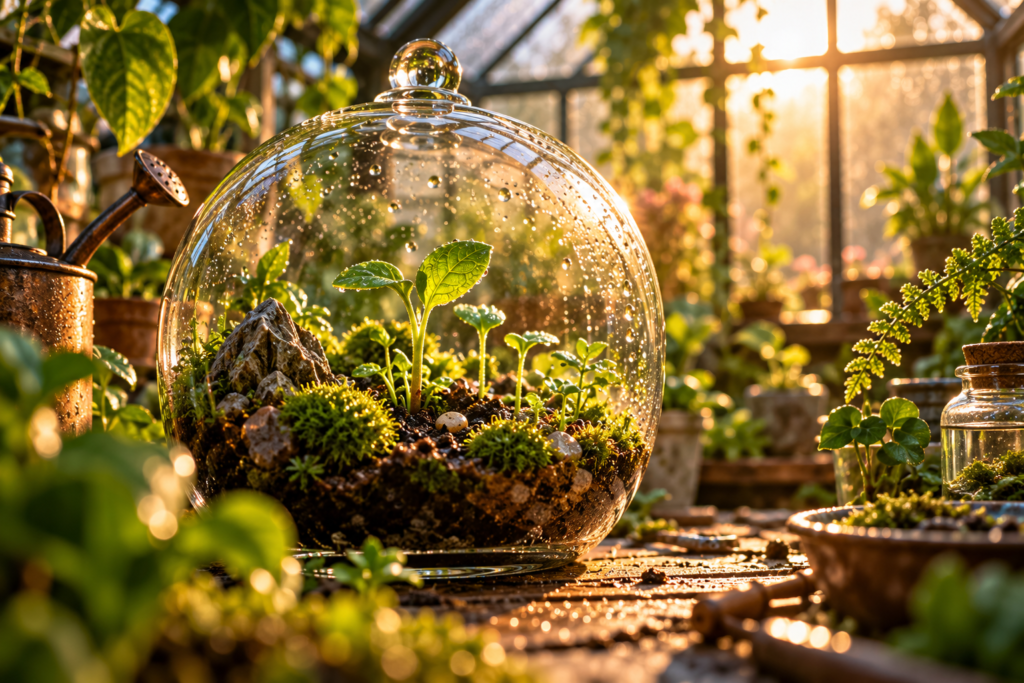
This prompt is for a silent 15-second nature video. The cover is an original concept frame, not a rendered clip.
greenhouse seedling growth prompt
Create a 15-second silent video in one continuous macro shot inside a small greenhouse. Keep the same round glass terrarium, table, background panes and morning light for the entire clip. At 0–5 seconds, dew settles on the glass and a tiny seedling is visible in dark soil. At 5–10 seconds, the stem rises gradually and two leaves unfold with physically plausible, time-lapse-like motion. At 10–15 seconds, sunlight shifts softly across the leaves and the growth comes to rest. Use a locked camera with only a very slow push-in, shallow depth of field and warm green-amber color. The terrarium must not change shape. No cuts, camera orbit, human hands, captions, logo, music or sound.
Controlled variations
- Swap the seedling for a fern unfurling.
- Change morning to late-afternoon light while keeping the same action.
- Make a square crop with enough safe space around the terrarium.
Test the motion
Generate a short low-resolution test first. Compare the first and last frames for terrarium shape, soil level and leaf count. Trim the clip to 15 seconds only after the motion is continuous; add any title in editing software.
Quality check
Watch the exported clip at its intended size and inspect the first, middle and final frames. Check duration, subject continuity, camera direction and the absence of accidental lettering. The result depends on the video tool and may need several runs; the still cover does not demonstrate motion quality.
Explore more AI Craft Pad prompts.
When publishing the greenhouse seedling growth result, review a text description and accessible presentation for the preview with the W3C media accessibility guidance. Check the final output before presenting it as finished work.