

Glass Marble River Journey Video Prompt
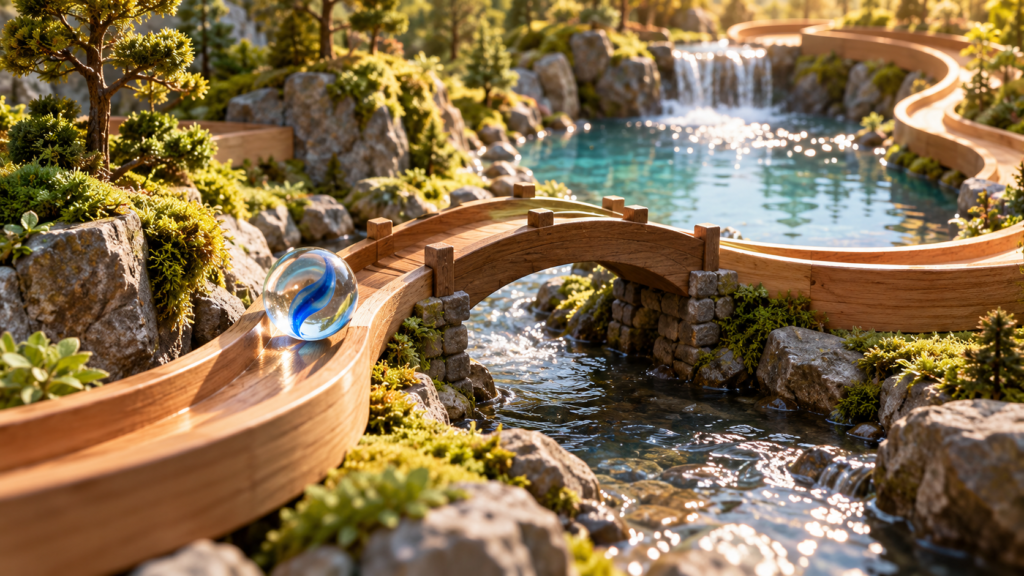
Guide one blue glass marble along a wooden track above a river in a silent 15-second video.
Glass Marble River Journey Video Prompt
The glass marble river journey prompt uses one object and one route to create a short silent video. The simple action makes continuity visible: a marble rolls along a wooden track above a stream and reaches a small viewing platform.
Copy the glass marble river journey prompt
Create an original silent 15-second 16:9 video in a miniature riverside world. Follow exactly one clear glass marble with a cobalt blue spiral inside it as it rolls along a shallow wooden track suspended just above a gently moving stream. Use a low tracking camera close to the marble. Show soft morning light, wet river stones, ferns and a small bridge far behind. The track must be physically supported by visible posts; its curve should be wide enough for the marble to roll without clipping through the rails.
Timing: 0–5 seconds establish the marble and first curve. 5–10 seconds it crosses a short straight section above rippling water, with the blue spiral rotating correctly inside the glass. 10–15 seconds it slows naturally and stops in a shallow circular cradle on a viewing platform. Keep one continuous shot and consistent marble size. Refraction may be subtle but should not replace the marble with a glowing orb. No second marble, floating track, teleport, text, logos, people, voice, music or sound effects. Hold the last frame long enough to use as a poster.
Control the route and camera
Sketch the track as a simple path with a start, one bend, a straight section and a clear stop. Decide where supports attach to the bank. This prevents the generated track from suddenly changing direction or disappearing under the marble. The camera should travel beside the marble at nearly the same speed, then ease to a stop when it reaches the cradle.
A short reference sequence can show the opening marble position and the final cradle. Keep the river direction, sun angle and rail height consistent. If your tool creates unstable motion, generate the middle segment alone from approved start and end frames and edit the three beats together. The cover image is a concept still, not evidence that the final video has been rendered.
Three controlled variations
- Set the route in autumn by changing leaf color while preserving track geometry and camera path.
- Try a frosted marble with the same cobalt spiral and test whether the inner rotation stays legible.
- Use overcast light for softer reflections without changing the destination or duration.
Quality review and next steps
Inspect the contact point between glass and wood in several frames. The marble should rotate in the direction of travel; it should not slide like a puck. Its interior spiral should turn with the sphere, not remain locked to the camera. Watch for duplicate marbles appearing in reflections or for river highlights becoming extra glass objects.
The track should stay above the stream from start to finish. Follow each support post down to a plausible bank or platform. If the camera passes through a rail, move the camera outward and keep the marble in the center third of the frame. If the end platform is too sudden, extend the slow-down beat rather than adding a new scene.
Test the result muted at normal and half speed. The action must be understandable without a caption. A short text description can explain that one marble travels above a river and stops in a cradle. Export a clean silent file, choose a poster frame, and check that the blue spiral is still visible in a small preview.
Keep the prompt focused on coherent physical motion. An AI video generator may still require multiple attempts or manual correction for rolling, transparent refraction and stable rails. Record which frames failed and change only the relevant constraint in the next pass.
Browse more original ideas in the AI Craft Pad prompt library. The W3C media accessibility guide explains text alternatives for video.