

Conservation Documentation Shot Plan Prompt
Create a conservation documentation shot plan for a museum object with this ready-to-use AI prompt, plus a practical example, best practices and FAQ.
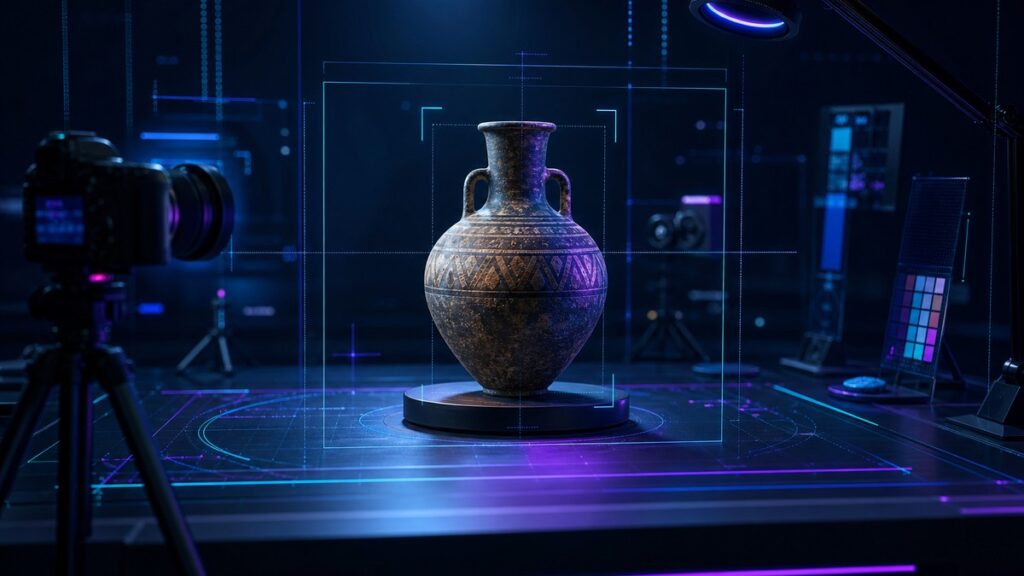
This conservation documentation shot plan helps you turn a museum object, a condition report and a documentation goal into a clear photo sequence. It is designed to produce images that support conservation work, preservation records and internal review.
Use it when you need consistent coverage, practical shooting notes and a useful order for capturing an object before, during or after treatment.
Create a Conservation Documentation Shot Plan
Build a museum-ready photo checklist with the right views, detail shots, lighting notes and file naming guidance for a single object.
COPY THIS PROMPT:
Act as a museum conservation photographer, collections documentarian and careful editorial planner.
Create a conservation documentation shot plan for the museum object I describe.
Your plan should help a photographer capture a complete and orderly set of images that supports conservation records, condition tracking and treatment review.
Include the following:
– A short objective for the shoot
– A recommended capture order
– Overall views from multiple angles
– Close-ups of condition issues and surface details
– Any handling, scale or orientation notes
– Lighting or background guidance
– File naming suggestions
– A final review checklist before the object is returned
Important rules:
– Keep the plan practical and specific to the object described.
– Do not invent materials, damage, inscriptions or history that I did not provide.
– If important information is missing, list the questions needed before shooting.
– Prioritize conservation accuracy over visual styling.
– Use plain language that a conservation team or photographer can follow easily.
– Avoid unnecessary jargon unless it helps the documentation workflow.
– Do not suggest risky handling or unrealistic camera setups.
– If the object type changes the shot sequence, adapt the plan accordingly.
Output format:
1. Shoot objective
2. Required inputs or missing details
3. Shot list in capture order
4. Notes for each shot
5. File naming structure
6. Final quality-check list
7. Optional follow-up images if needed
Object details:
[Describe the museum object, its material, dimensions, condition issues and any documentation goal]
Context:
[Add whether this is for intake, treatment, post-treatment, loan, exhibition or archive documentation]
How to use this conservation documentation shot plan
What this prompt helps you do
A strong documentation plan keeps the image set consistent and useful. It helps the team focus on the views that matter most instead of making ad hoc decisions during the shoot.
- Organize a clear photography sequence
- Capture both overall and detail views
- Document condition issues more consistently
- Reduce missed angles or redundant shots
- Support treatment records and object tracking
- Prepare practical file naming guidance
- Clarify missing information before shooting
- Make review and archiving easier later
💡 Pro Tip
When the object has fragile areas, ask the AI to separate the shot plan into mandatory images and optional extras. That makes it easier to keep the essential record complete even if handling time is limited.
Example: From Object Notes to a Shot Plan
A painted wooden cabinet with surface wear, a loose door hinge and a visible crack on one side. The shoot is for pre-treatment documentation.
Objective: Record the cabinet’s overall condition and
capture the areas that may affect treatment.
Capture order:
1. Front overall view
2. Back overall view
3. Left side overall view
4. Right side overall view
5. Top overall view
6. Interior view if safe and relevant
7. Close-up of loose hinge
8. Close-up of side crack
9. Close-up of surface wear and paint loss
10. Detail of any labels, marks or previous repairs
Notes: Use even lighting, a neutral background and a
scale only where permitted by procedure. Keep the object orientation
consistent across the set.
File naming: cabinet_pretx_front_01, cabinet_pretx_sideL_02,
cabinet_pretx_hinge_detail_07.
Why this conservation documentation shot plan works
A vague request such as “make a photo list for this object” can lead to an incomplete or uneven image set. Important details may be missed, or the order may not match how conservation teams actually review objects.
This prompt gives the AI a specific role and a defined output. It asks for the purpose of the shoot, the capture sequence, the conditions to note and the practical details needed to make the images useful after the session.
It also keeps the response grounded by telling the AI not to invent object history, materials or damage. That matters because a documentation plan should reflect what is observed, not what is guessed.
Frequently Asked Questions
Can I use this prompt for different object types?
Yes. It works for paintings, textiles, sculptures, paper objects and many
other collection items, as long as you provide clear object details.
Will the AI know museum documentation standards automatically?
Not always. That is why the prompt asks for practical, specific output
and encourages you to adapt the plan to your own collection procedures.
Should every object get the same photo sequence?
No. A general structure is useful, but the final shot list should reflect
the object’s shape, condition, access limits and documentation purpose.
Can I use this prompt for post-treatment photography?
Yes. Just change the context so the AI knows whether the goal is pre-
treatment, post-treatment or another documentation stage.
What if I do not know all the object details yet?
Ask the AI to list missing questions first. That helps you collect the
right information before the shoot begins.
When to use this prompt
Use this conservation documentation shot plan prompt whenever an object needs a structured image record and you want the shot list to be clear before anyone picks up the camera.
It is especially useful for condition checks, treatment documentation, loan preparation, intake photography and archive updates where consistency matters.
The prompt is also helpful when you need to coordinate between curators, conservators and photographers, because it turns object notes into a shared working plan.
Best practices for better documentation plans
Start with the facts you already have: object type, material, dimensions, condition concerns and the reason for the shoot. Better input usually leads to a more useful shot plan.
Be clear about any handling limits, access restrictions or surfaces that should not be moved or touched. That helps the plan stay realistic and safe for the object.
Before shooting, confirm which views your institution considers mandatory. Then use the AI output to fill gaps, suggest order and add helpful review notes without replacing professional judgment.
Finally, keep the plan simple enough to use on site. A good shot sequence should be easy to follow under real working conditions, not just easy to read on a screen.
Summary
This conservation documentation shot plan prompt helps you turn object notes into a practical image sequence with clear views, details and review steps.
Use the conservation documentation shot plan when you need a reliable way to document an object, keep the shoot organized and create a record that is easier to review, file and compare later.
Looking for more practical AI prompts?
Explore AI Craft Pad for more useful prompts, tools and guides.
Browse Prompts →