

Classroom Activity Board Desktop App Builder Prompt
Design an offline classroom activity board with drag-and-drop sequencing, visible timers, gentle transitions, and printable schedules.
Classroom Activity Board Desktop App Builder Prompt
Help a teacher arrange a day of activities and present the next step clearly. This classroom activity board prompt asks for a focused offline desktop tool, not a student tracking system.
Classroom activity board build prompt
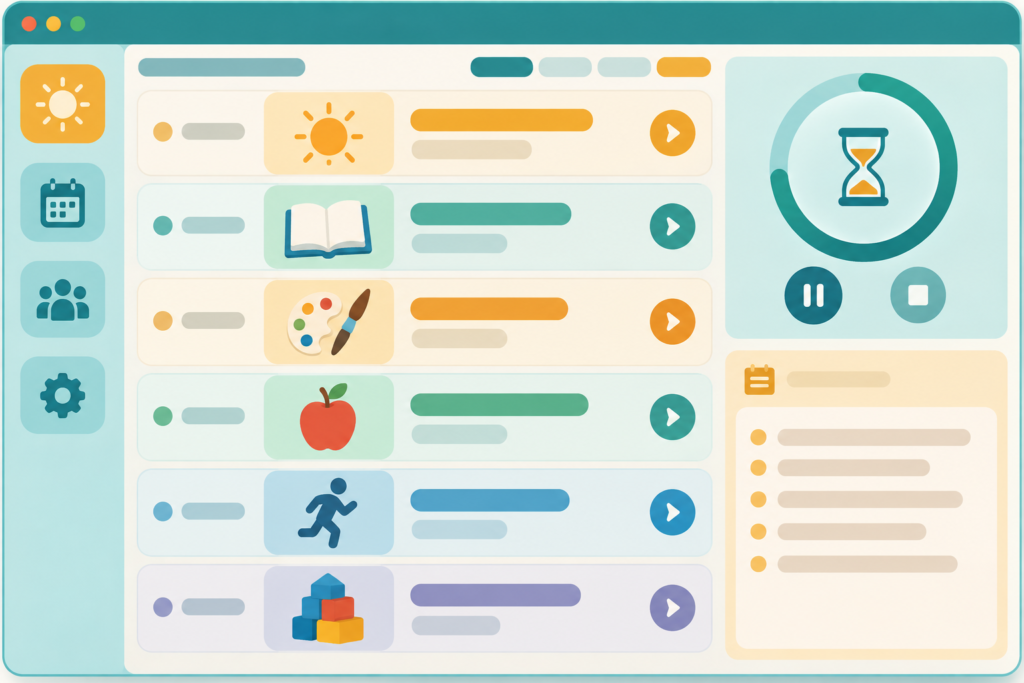
Build an offline desktop app called Classroom Flowboard for teachers to plan and display a sequence of classroom activities. Provide an editor view with draggable activity cards and a large presentation view for the room. Each card has a title, icon or color, estimated minutes, short instruction, materials note, and optional transition cue. Include a visual timer with pause, resume, add-one-minute, and end-early controls. Let the teacher move to the next or previous activity without losing the plan. Show a gentle “up next” cue but never auto-advance without teacher action. Offer high-contrast mode, large text, keyboard navigation, reduced-motion setting, and an option to hide the countdown from students. Store schedules locally, allow named templates, and export a printable one-page PDF or print view. Add a sample day with five varied activities and a clear “remove sample” control. Do not collect student names, photos, grades, behavior data, or cloud accounts. Use local assets or code-drawn icons, and do not make educational outcome claims. Deliver source files, Windows build instructions, and a manual test plan covering timer and persistence edge cases.
Minimum acceptance checks
- A teacher can create and reorder activities, save a template, close the app, and reopen the same sequence.
- The timer handles pause, resume, add-one-minute, and end-early without skipping an activity.
- Presentation view is legible from a distance and works with keyboard navigation.
- Print output contains the ordered schedule and useful activity details, without student data.
Build and review the classroom activity board
Build and open the app. Edit the sample day, test every timer control, reopen the app, and print the resulting schedule.
This page provides the build prompt and original interface concept art. It does not include a verified installer or working app. For accessible visual and keyboard behavior, use the W3C Web Content Accessibility Guidelines as a review reference. Browse more AI Craft Pad prompts.