

How to Build a Consistent AI Image Series
A useful image series is designed as a system, then checked as a set.
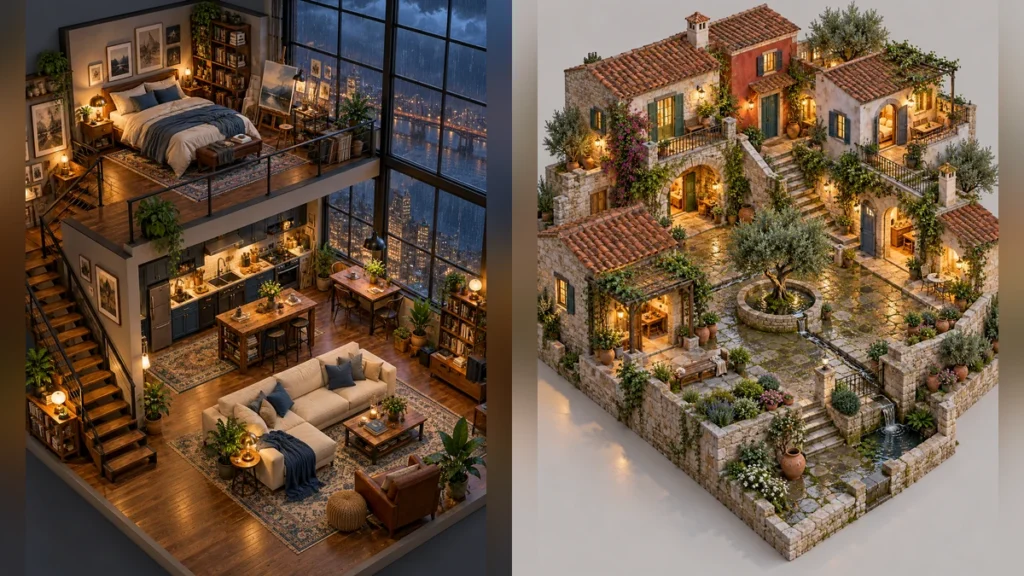
An attractive first image is easy to overvalue. A consistent AI image series has to survive a second subject, a new camera angle, and a different lighting condition without looking like an unrelated project. Start by writing a one-page visual anchor before generating the full set.
Define what cannot drift
Record five constants: subject construction, camera logic, palette, material behavior, and level of detail. For a group of miniature interiors, that might mean the same three-quarter projection, warm practical lamps, walnut and slate materials, believable door widths, and fine but readable props. A phrase such as “same style” is too vague. Each constant should describe something you can point to in an image.
Change one variable at a time
Make three test images with different subjects but the same constants. If the rooms look unrelated, correct the visual anchor before making the remaining scenes. Next, change one intended variable—perhaps weather or time of day—while keeping the other four fixed. Save the best result as a reference for later prompts and record exactly what worked.
Review the set as a set
Place the images side by side at equal display size. Check whether horizon height, shadow direction, object scale, saturation, and edge detail feel deliberate. Then inspect each original at full size for malformed hands, incoherent joints, broken architecture, pseudo-text, and repeated objects. A polished collage helps overview, but readers also need separate large originals to judge real quality.
Use the same review procedure for character sheets, pixel worlds, products, and fantasy maps. When a single image fails, repair that image; do not soften the entire series to conceal one defect.