

Create a Creative Direction Mood Board From a Brand Brief
Use this prompt to turn a brand brief into a clear creative direction mood board with visual themes, palette cues, typography ideas and campaign references.
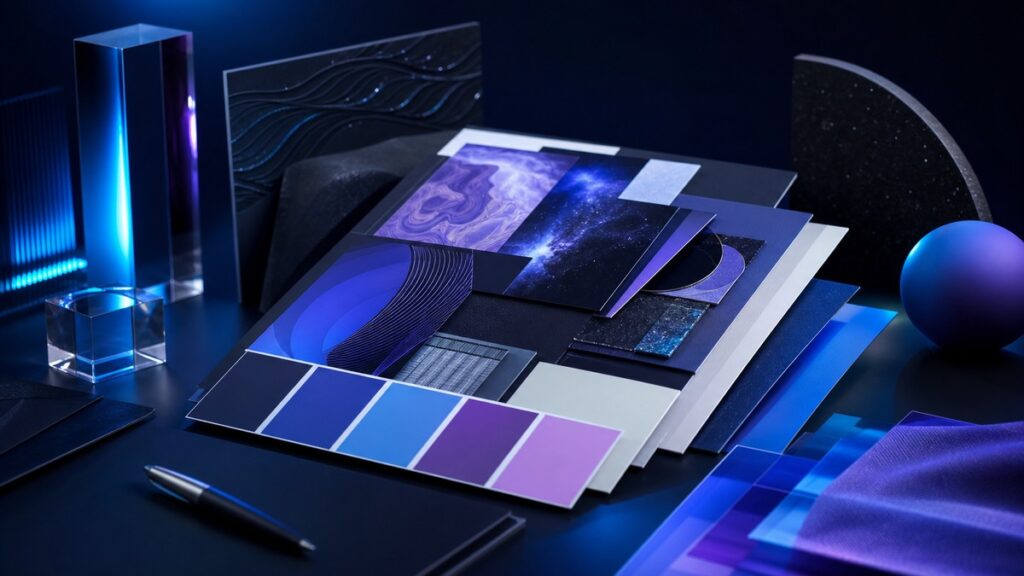
This prompt helps you turn a brand brief into a clear creative direction mood board before design work begins.
Use it when you need visual themes, style cues, color references and messaging direction that stay aligned with the brief instead of drifting into vague inspiration.
Create a Creative Direction Mood Board From a Brand Brief
Turn a brief into a practical visual direction with themes, palette ideas, typography cues, imagery style and design references.
COPY THIS PROMPT:
Act as a senior brand strategist, creative director and visual concept planner.
Create a creative direction mood board from the brand brief I provide.
Your job is to translate the brief into a practical visual concept that a designer, marketer or content team can use as a starting point.
What to include:
– A short summary of the brand’s personality and creative direction
– 3 to 5 visual themes or style keywords
– Suggested color palette direction with tone notes
– Typography mood and lettering style cues
– Photography or illustration style guidance
– Texture, layout or composition ideas
– Do’s and don’ts for staying on-brand
– A few reference concepts the team could search for or sketch
– A concise mood board caption or concept statement
Important rules:
– Stay grounded in the brief and do not add unrelated trends.
– Do not invent facts about the brand, audience or market.
– Keep the language clear, visual and easy to hand off to a creative team.
– Prefer practical descriptors over abstract jargon.
– If the brief is unclear, note the missing information and make careful assumptions only where needed.
– Avoid generic mood board ideas that could fit any brand.
– Make the direction specific enough to guide design decisions.
Output format:
1. Creative direction summary
2. Core mood keywords
3. Color palette direction
4. Typography direction
5. Image and illustration style
6. Composition and layout notes
7. On-brand do’s and don’ts
8. Mood board concept statement
Brand brief:
[Paste the brand brief here]
Optional context:
[Add audience, campaign goal, format, launch timing or examples of styles you want to avoid]
How to use this creative direction mood board prompt
What this prompt helps you do
A good mood board should clarify direction, not just collect attractive visuals. This prompt helps AI connect strategy and design so the result is more useful for real creative work.
- Translate a brief into visual direction
- Define a consistent tone before design starts
- Generate palette and typography cues
- Guide image selection and layout choices
- Reduce vague or mismatched creative concepts
- Create a stronger handoff for designers
- Spot missing brief details early
- Keep the concept anchored to the brand
💡 Pro Tip
Ask the AI to separate “must-have” direction from “optional inspiration.” That makes the output easier to use when a brief is tight, because your team can see what is essential and what can be explored creatively.
Example: From brief to visual concept
A new skincare brand wants a calm, premium look that feels modern, natural and trustworthy. The launch will focus on a simple ingredient story and a clean website hero section.
Creative direction summary: A calm, minimal, ingredient-led direction with a refined premium feel.
Core mood keywords: Soft, clean, botanical, elevated, reassuring.
Color palette direction: Warm neutrals, muted green accents and one cool highlight color for freshness.
Typography direction: Elegant sans serif for clarity, paired with a light editorial serif for subtle sophistication.
Image style: Close-up product photography, diffused natural light, soft shadows and uncluttered surfaces.
Composition notes: Spacious layouts, strong alignment, simple grids and generous white space.
Do’s and don’ts: Do keep the look calm and premium. Don’t use harsh contrast, crowded compositions or overly clinical styling.
Concept statement: A clean, ingredient-first visual system that feels thoughtful, modern and quietly confident.
Why this creative direction mood board prompt works
A weak prompt may ask for “a mood board” and get back a list of stylish adjectives with no practical value. This version asks for the parts a creative team actually needs: tone, visual themes, palette direction, type cues and usage guardrails.
It also limits the AI to the information in the brief. That matters because the best creative direction mood board is not random inspiration; it is a focused interpretation of the brand’s goals, personality and constraints.
When you keep the output specific, you make it easier to turn ideas into a real deck, presentation or design board without starting over.
Frequently Asked Questions
Can I use this prompt with a short brand brief?
Yes. If the brief is short, the AI can still propose a direction, but it should also point out any missing details that would affect the concept.
Will the AI create a finished mood board layout?
Not usually. This prompt is designed to create the direction and content for a mood board, which you can then turn into a slide, board or design reference set.
Can I use this for rebrands and campaigns?
Yes. It works for rebrands, launches, content campaigns, product pages and other projects that need a shared visual starting point.
How detailed should the brand brief be?
The more practical detail you give, the better. Include audience, goals, tone, offer, known preferences and any styles you want to avoid.
Should I ask for images or just direction?
Start with direction. Once the creative approach is clear, you can use that output to search for images, build a board or brief a designer.
When to use this prompt
Use this creative direction mood board prompt when a project needs visual alignment before production starts. It is especially helpful at the beginning of a campaign, rebrand, website refresh or product launch.
It is also useful when a team has an unclear creative brief and needs help turning scattered notes into a more coherent visual language.
If you are comparing multiple style options, you can run the prompt several times with slightly different inputs to explore distinct directions before choosing one.
Best practices for stronger mood board outputs
Be specific about the brand’s personality. Words like calm, premium, playful or technical give the AI more useful guidance than broad labels such as modern or nice.
Include what the brand should not look like. Clear boundaries help avoid visual ideas that may be attractive but still wrong for the project.
If the output feels generic, ask for tighter wording and more concrete visual cues. You can request material texture, light quality, cropping style, spacing, icon style or editorial versus commercial photography.
Finally, treat the result as a draft creative brief. Review it against the original brand strategy, then edit it so the mood board supports real design decisions rather than simply describing a feeling.
Summary
This creative direction mood board prompt helps you convert a brand brief into a usable visual concept with clear themes, color direction, typography cues and composition guidance.
Use it when you want a creative direction mood board that is focused, brand-aware and ready to guide the next stage of design work.
Looking for more practical AI prompts?
Explore AI Craft Pad for more useful prompts, tools and guides.
Browse Prompts →