

How to Create a Cohesive Pixel Art Environment Set
Pixel worlds feel connected when grid and scale stay stable.
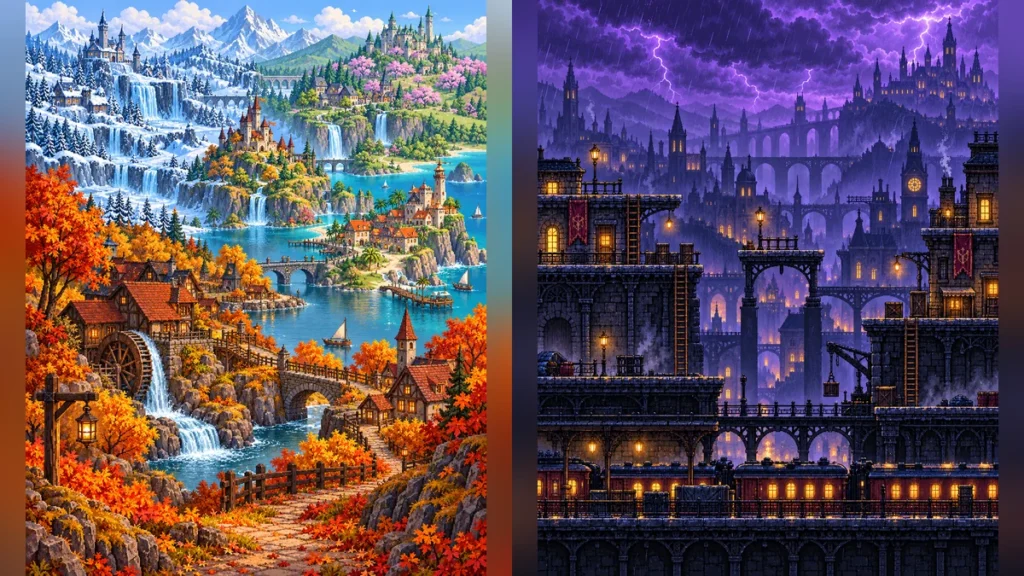
“Pixel art” is not enough instruction for a coherent environment set. The most common inconsistency is pixel density: a tree in one scene has chunky edges while a nearby bridge has smooth, painted detail.
Lock the visual scale
Define an approximate native canvas, intended display scale, horizon height, and character-to-door ratio. State that pixels should remain crisp and unfiltered. Decide whether the view is side-on for a platformer or a three-quarter view for a village. Do not switch between projections within a set unless it is an intentional separate system.
Build a palette rule
Use shared anchor colors for soil, shadow, and lights, then give each region one accent. A seasonal atlas might keep the same river stone and architecture while changing foliage and sky. This makes spring and winter visibly related without recoloring every object mechanically.
Separate function from scenery
In a playable scene, ledges, bridges, doors, and hazards must stand apart from background decoration. At native size, ask whether a player can identify the route. At enlarged nearest-neighbor size, look for accidental blur, uneven pixel steps, broken tile edges, and pseudo-text. If the generator cannot maintain a stable grid, use it for concept composition and rebuild the final assets manually on a controlled canvas.