

AI CRAFT PAD / FREE WINDOWS APP
AI Craft
Motion Studio
Your materials.
Your next film.
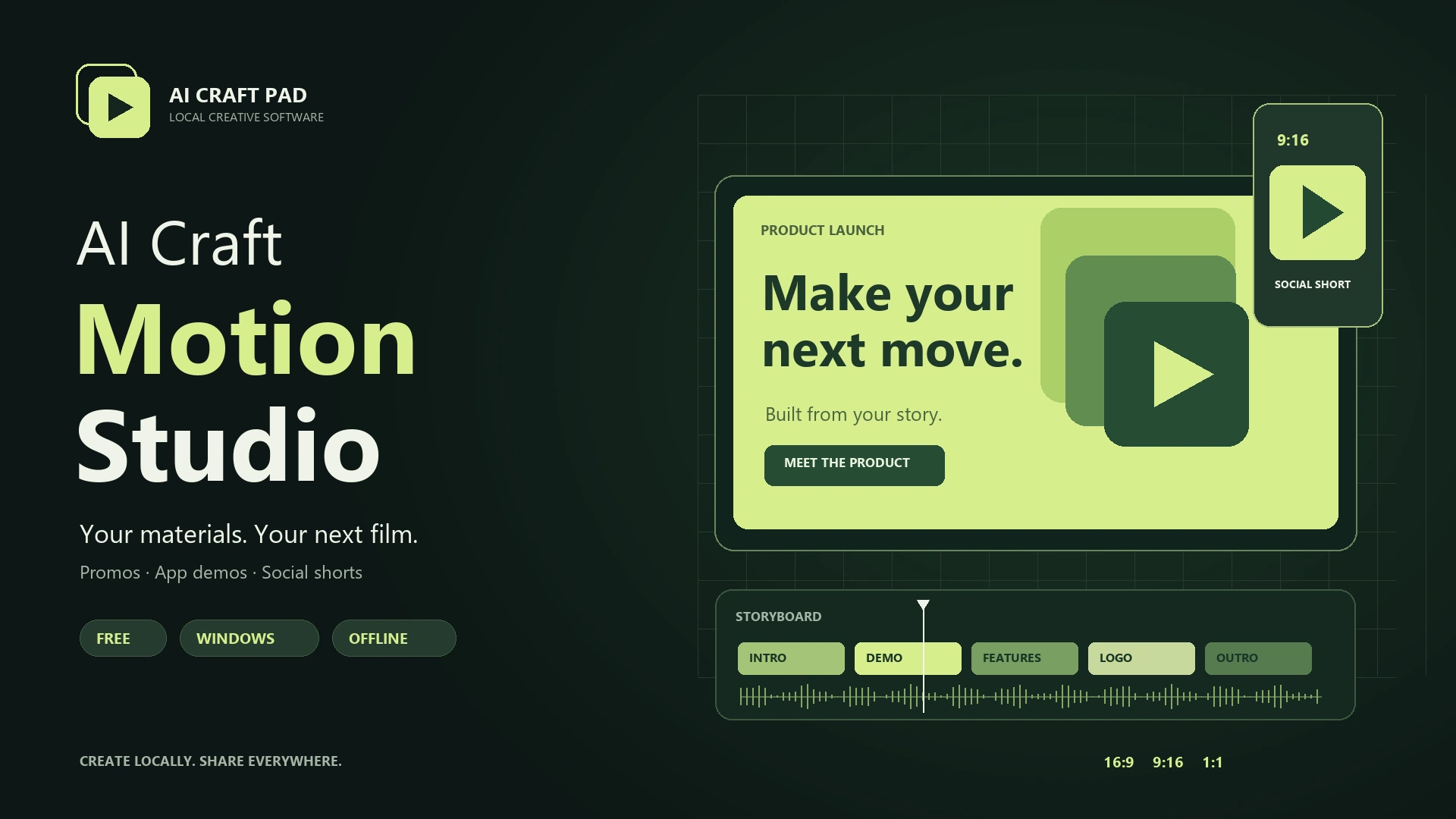
Create product promos, app demos and social shorts from your images, screen recordings, text and audio. Preview the story, then export MP4 on your own computer.
Free · Windows 10/11 x64 · Version 0.1.1
No account. No subscription. No paid API.
FROM MATERIALS TO A FINISHED MP4
Shape the story. Set it in motion.
Build your storyboard
Start with a product launch, app demo, feature announcement, screenshot promo, logo intro or social short. Edit scenes, text, durations and transitions.
Make it your brand
Add a logo, choose colours and a typeface, and pick one of five original looks. Animate titles, cards, diagrams and a demo cursor.
Export for every screen
Preview 16:9, 9:16 and 1:1 layouts. Mix music, voiceover and effects, then export one format or a batch of MP4 files.
DOWNLOAD 0.1.1
A complete local studio.
The browser, video engine and fonts are included. Internet is not needed after installation. Downloads are hosted on AI Craft Pad.
Windows installer
Install for your Windows account. Includes the app, offline instruction and an editable sample.
Download installer ZIP ↓Extract the ZIP, then run the Setup file. Unsigned application: Windows may show a publisher warning.Portable edition
Extract the whole folder and run AI Craft Motion Studio.exe. Keep all files together.
Download portable ZIP ↓No separate Node.js, browser or FFmpeg installation required.Source & licences
Original application code under MIT. FFmpeg and x264 retain their GPL licences.
Application source ↓Video engine source & build ↓Exact source archives, build script, configuration, licences and checksums for the shipped engine.
YOUR FIRST FILM
Start with what you already have.
- Create a film. Select New film, a film type, format and frame rate.
- Import your materials. Add images, a logo, recordings, audio or fonts through Materials → Add.
- Edit the scenes. Choose a scene in Storyboard; set its text, material, duration and transition. Use Project and Looks to personalise your brand.
- Preview the formats. Play, pause and scrub. Check landscape, portrait and square; use safe-zone guides.
- Mix the sound. Add music, a recorded voiceover or sound effects. Set volume, start time and source trim.
- Save and export. Keep the .acmotion file together with its .acmotion.assets folder. Choose Export MP4, quality, formats and an output folder.
Open Help in the application for the complete offline manual, including cropping, video trims, project backups, cancelling exports and troubleshooting. About & contact contains producer and support details.
Materials, formats and practical limits.
Bring your own assets
Images: PNG, JPG, WebP and plain SVG.
Video: MP4, WebM and MOV.
Audio: WAV and MP3.
Fonts: TTF, OTF, WOFF and WOFF2.
1920 × 1080, 1080 × 1920 and 1080 × 1080. Draft, Standard and High export quality. Images and video are copied locally; original source files stay unchanged.
What this version does
Motion Studio assembles and animates existing materials. It does not generate AI video, speech or music, and it does not automatically remove pauses.
Up to 100 scenes and ten minutes per project; scene duration 1.5–120 seconds. 4K is not included. Long, complex films need more memory, disk space and rendering time.
CREATED BY AI CRAFT PAD
Help is part of the package.
Producer and publisher: AI Craft Pad.
Product questions and support: contact@aicraftpad.com or the contact form.
Include the app version, Windows version, the steps that failed and a render log. Only share project materials you have permission to send.
Privacy: processing and rendering happen locally. The render engine blocks external requests and has telemetry disabled. Contact links open a browser or email client only when selected.
Licences: the original app is MIT; HyperFrames is Apache-2.0; Inter is OFL-1.1. FFmpeg with x264 is GPL-2.0-or-later and runs as a separate executable. Complete corresponding source and build materials are available above; third-party notices are included in every app package.
