

Pixel Garden Dungeon Game Builder Prompt
Build a compact pixel dungeon adventure where planted seeds become bridges, lights, and puzzle tools. Includes room design, controls, and acceptance checks.
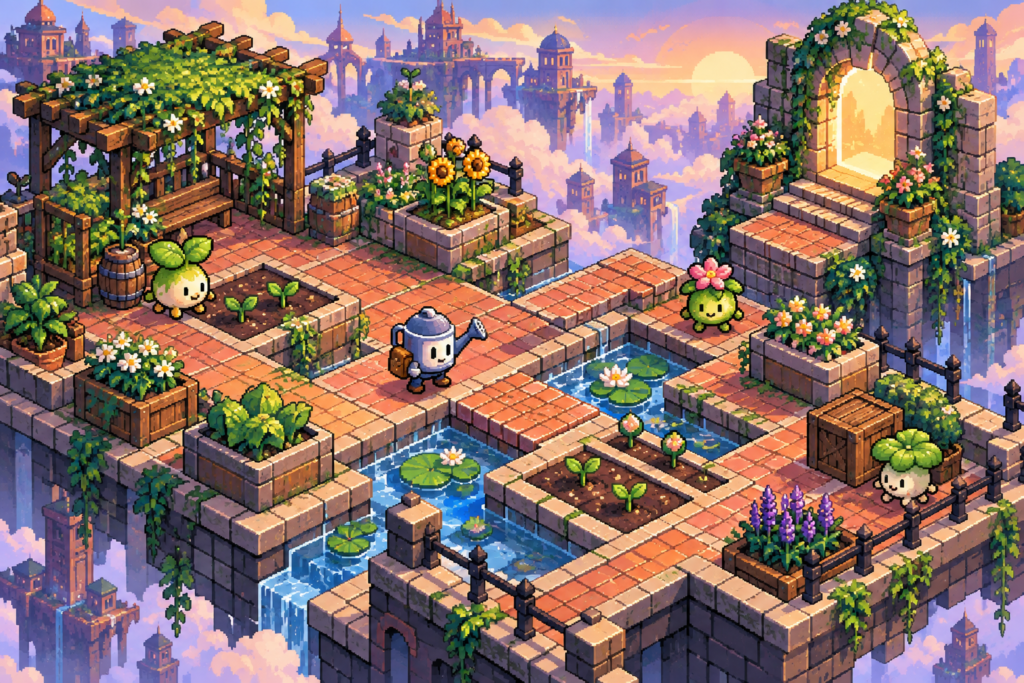
Pixel Garden Dungeon Game Builder Prompt
Use this pixel garden dungeon prompt to create an original result with clear constraints, then review the output against the acceptance checks below.
Turn a tiny dungeon into a living garden. This original game builder prompt asks a coding assistant for a complete browser prototype with four handcrafted rooms and plants that change the environment.
pixel garden dungeon prompt
Build a self-contained browser game called Pixel Garden Dungeon using HTML, CSS, and JavaScript. Use original 16-bit-inspired pixel art drawn in code or simple included assets; do not imitate a known game or use external copyrighted sprites. Make a top-down gardener character who can move with arrow keys or WASD, interact with Space, and select one of three seeds. Watering a seed advances its growth once. A vine becomes a bridge, a lantern flower lights a dark passage, and a spring mushroom launches the hero across a one-tile gap. Create four compact connected rooms with distinct puzzles, a clear starting tutorial, one optional collectible per room, and a final greenhouse door that opens only after the three plant mechanics have been used. Keep collisions consistent, show the selected seed and watering state, and offer a restart button. Add touch controls for phones and respect reduced-motion preferences. Save only room progress and collectibles in localStorage; include a reset-save control. Keep the game fully playable offline after loading. Return all source files, setup instructions, and a short explanation of the room state model. Avoid placeholder art, broken controls, unreachable goals, and paywalls.
Minimum acceptance checks
- A fresh player can learn movement, planting, and watering in the first room without reading external instructions.
- All four rooms can be finished with keyboard and touch input; no puzzle requires guessing an invisible trigger.
- Reloading resumes the last unlocked room and reset-save truly starts over.
- The game runs locally without a network connection or external account.
Run and review the result
Open the delivered index.html in a modern browser. Play from a clean save through the greenhouse door, then repeat using touch controls and the reset-save button.
This page provides the build prompt and original concept art. It does not include a verified playable demo. Browse more AI Craft Pad prompts.
How to test the Pixel Garden Dungeon prototype
Start with the first room and try both arrow keys and WASD. The player should understand movement, interaction, and seed selection without reading a long manual. Check that planting and watering have distinct visual feedback and that the same input produces the same result every time. A player should be able to complete the tutorial even if they never find an optional collectible.
Visit each of the four rooms in order. Confirm that the vine bridge, lantern flower, and spring mushroom each solve a different obstacle. Test what happens when the player presses Space too early, chooses the wrong seed, leaves a room before watering, or returns after a puzzle is complete. A puzzle must remain recoverable; the player should never need to restart the entire game because one object was used in the wrong order.
Keep the pixel artwork original and legible. Give the three plants different silhouettes as well as different colors, so they remain identifiable in grayscale or low contrast. Check the top-down view at the intended browser size and at a smaller laptop window. The final greenhouse door should communicate which plant mechanics remain unfinished without revealing the solution instantly.
Before sharing, run a short acceptance session with someone who has not seen the prompt. Watch where they hesitate and revise the tutorial, interaction labels, or collision boundaries accordingly. Record whether the full play loop works without console errors, missing assets, or hidden controls. Treat the prototype as a playable test, not as a finished commercial game.
Five-step build and review workflow
- Define the pixel garden dungeon game goal, the player action, and the one mechanic that must feel good before adding more content.
- Build a small playable opening area with visible controls, readable feedback, and a clear way to recover from mistakes.
- Extend the same rules through the remaining scenes or levels, checking that art, input, and difficulty stay consistent.
- Test keyboard or touch input, accessibility settings, save behavior, and offline loading where the brief requires them.
- Play from a clean start through the ending, fix broken states, and package the source with honest run instructions.
When publishing the pixel garden dungeon result, review keyboard controls and readable feedback with the MDN game development guide. Test the final output and revise any weak detail before reuse.