

Natural-Looking Flash Photography Lighting Plan for Indoor Portraits
Use this prompt to create a natural-looking flash photography lighting plan for indoor portraits with clear setup steps, light placement, and realistic adjustments.
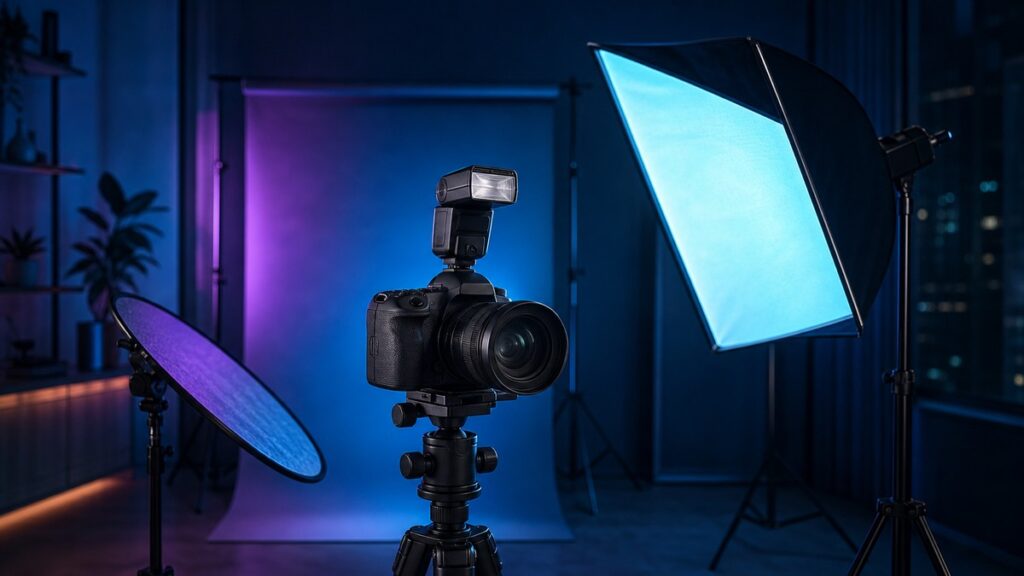
This prompt helps you create a natural-looking flash photography lighting plan for indoor portraits, so the final image still feels soft, balanced and believable instead of harsh or overly lit.
Use it when you want a practical setup with clear light placement, subject direction, exposure choices and small adjustments for skin tone, room color and available ambient light.
Create a Natural-Looking Flash Photography Lighting Plan for Indoor Portraits
Turn a simple indoor portrait idea into a realistic lighting setup with soft flash placement, flattering direction and easy camera adjustments.
COPY THIS PROMPT:
Act as an experienced portrait photographer and lighting assistant.
Create a natural-looking flash photography lighting plan for an indoor portrait session based on the details I provide.
I want the result to feel realistic, flattering and easy to execute, with lighting that complements the room instead of overpowering it.
Your plan should include:
– A recommended flash setup for the room and subject
– Suggested light placement and angle
– Whether to use direct flash, bounce flash, diffuser, softbox or umbrella
– A simple explanation of why the setup works
– Exposure guidance for camera settings and flash power as starting points
– Background and ambient light considerations
– Adjustments for window light, ceiling height, wall color and skin tone
– A short troubleshooting section for common problems
– A plain-language summary I can follow on set
Rules for the response:
– Keep the lighting natural-looking, not dramatic unless I ask for drama.
– Prefer practical, low-fuss options that work in a real indoor space.
– Explain the plan step by step.
– Avoid vague advice like “make it cinematic” without specifics.
– Do not invent technical facts if room details are missing; state assumptions clearly.
– Give cautious starting values, not absolute settings.
– Mention what to change if the subject looks flat, shiny, too dark or too contrasty.
Output format:
1. Session summary
2. Recommended flash setup
3. Light placement and modifiers
4. Starting camera and flash settings
5. Why this setup creates a natural look
6. Quick adjustment checklist
7. Common mistakes to avoid
8. Final simple plan for the shoot
Session details:
[Describe the room, subject, available light, gear and the mood you want]
Optional style notes:
[Add details such as soft window light, clean background, warm tones, small space, or a single-person portrait]
How to use this natural-looking flash photography lighting plan prompt
What this prompt helps you do
Planning flash for portraits is easier when the advice is specific to the room and the look you want. This prompt keeps the focus on practical choices instead of generic lighting theory.
- Build a flash setup around the actual room
- Get believable light that still flatters the subject
- Choose modifiers with a clear purpose
- Understand where to place the light and why
- Start with safer exposure settings
- Adapt to mixed light and small indoor spaces
- Reduce guesswork during portrait sessions
- Spot and fix common lighting problems quickly
💡 Pro Tip
Ask the AI to describe the “least noticeable” lighting setup that still looks polished. That wording often leads to a more natural-looking flash photography result than asking for a strong or stylized effect.
Example: From vague request to useful lighting plan
I need flash lighting for an indoor portrait.
I am shooting a single indoor portrait in a small living room with white walls, a low ceiling and a window on one side. I want soft, natural-looking flash that keeps some room atmosphere. I have one speedlight, a bounce card and a small umbrella. Give me a step-by-step lighting plan, starting camera settings, and adjustments if the face looks flat or the background goes too dark.
Why this natural-looking flash photography lighting plan prompt works
A short request like “set up my flash for portraits” usually leaves too much room for generic answers. This prompt adds the room, subject and gear details the AI needs to make the plan practical.
It also asks for starting settings, modifier choices and troubleshooting, which makes the response more usable on set. Instead of only describing a look, the AI has to explain how to get there.
By asking for assumptions when details are missing, the prompt encourages clearer guidance without pretending to know information you did not provide. That keeps the advice more trustworthy and easier to adapt.
Frequently Asked Questions
Can I use this prompt with any AI assistant?
Yes. It works best with assistants that can follow structured creative and technical instructions.
Do I need professional lighting gear?
No. The prompt is useful even if you only have a speedlight, a bounce surface or a basic modifier.
Will the AI choose the exact best camera settings?
Not exactly. It can suggest sensible starting points, but you should still test and fine-tune exposure in the room.
Can this prompt help with mixed window light and flash?
Yes. That is one of its strengths, especially when you want the flash to blend with existing indoor light.
Should I ask for dramatic lighting too?
Only if that is your goal. For a natural look, keep the request focused on soft, believable light and subtle contrast.
When to use this prompt
Use this prompt before an indoor portrait session when you want a quick, workable lighting plan rather than a broad explanation of flash theory.
It is especially helpful for small rooms, home studios, client portraits, social content shoots and any setup where you need the flash to look soft and unobtrusive.
It is also useful when you are unsure whether to bounce, diffuse or direct the flash and want the AI to help you choose based on the space.
Best practices for better results
Be specific about the room and the desired mood. The more the AI knows about the space, the more realistic the lighting plan will be.
Share your actual flash gear instead of asking for a perfect setup in the abstract. A simple plan for the equipment you already own is usually more useful than a theoretically ideal one.
After the AI gives you a plan, test the first version and ask for refinements based on what you see. Small changes in light height, angle and power often make the biggest difference.
If you want the most natural-looking flash photography result, tell the AI to preserve some ambient light and keep shadows gentle rather than forcing a fully lit look.
Summary
This natural-looking flash photography lighting plan prompt helps you turn a simple indoor portrait idea into a clear, realistic setup with practical modifiers, light placement and adjustment guidance.
Use it to plan your shoot, solve common lighting problems and keep the portrait looking natural while still benefiting from flash control.
Looking for more practical AI prompts?
Explore AI Craft Pad for more useful prompts, tools and guides.
Browse Prompts →